Baseliners HQ Demo

Coaching courses from signup to register

Publish group courses, take signups from members and visitors, and keep the coach's sessions, payments and registers in order.

Coaching course dashboard with upcoming sessions, courts held and unpaid signups

A coaching course is a series of sessions with a coach, a capacity and separate prices for members and visitors. The courts each session needs can be booked on the court sheet when the schedule is set.

These screens are from Greenmount Tennis Club, a demonstration club with four courts. Its members are invented.

1

The coaching page

The public coaching page opens with the club's own introduction and picture, followed by every course taking signups.
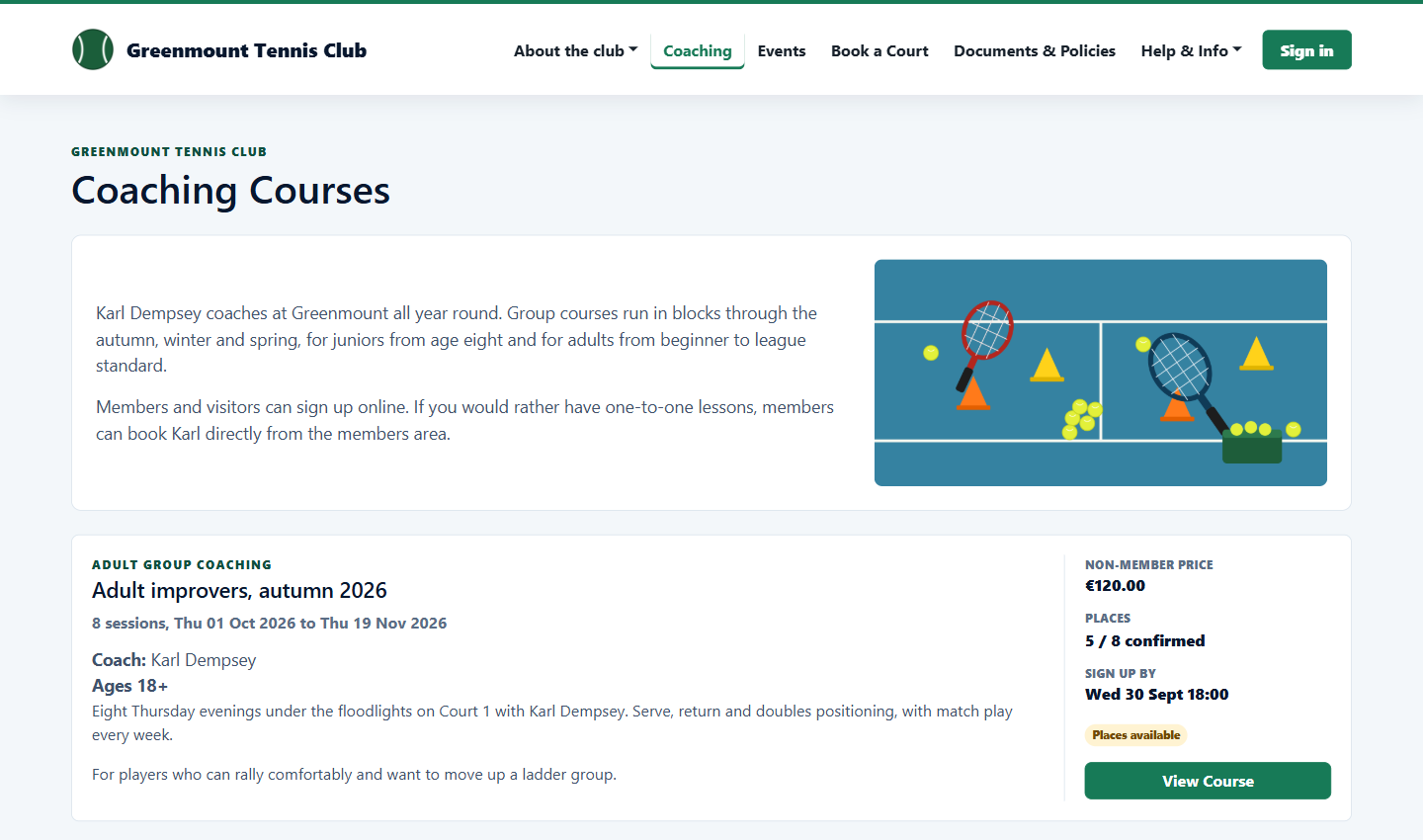
Public coaching page with an adult course
2

Course details and signup

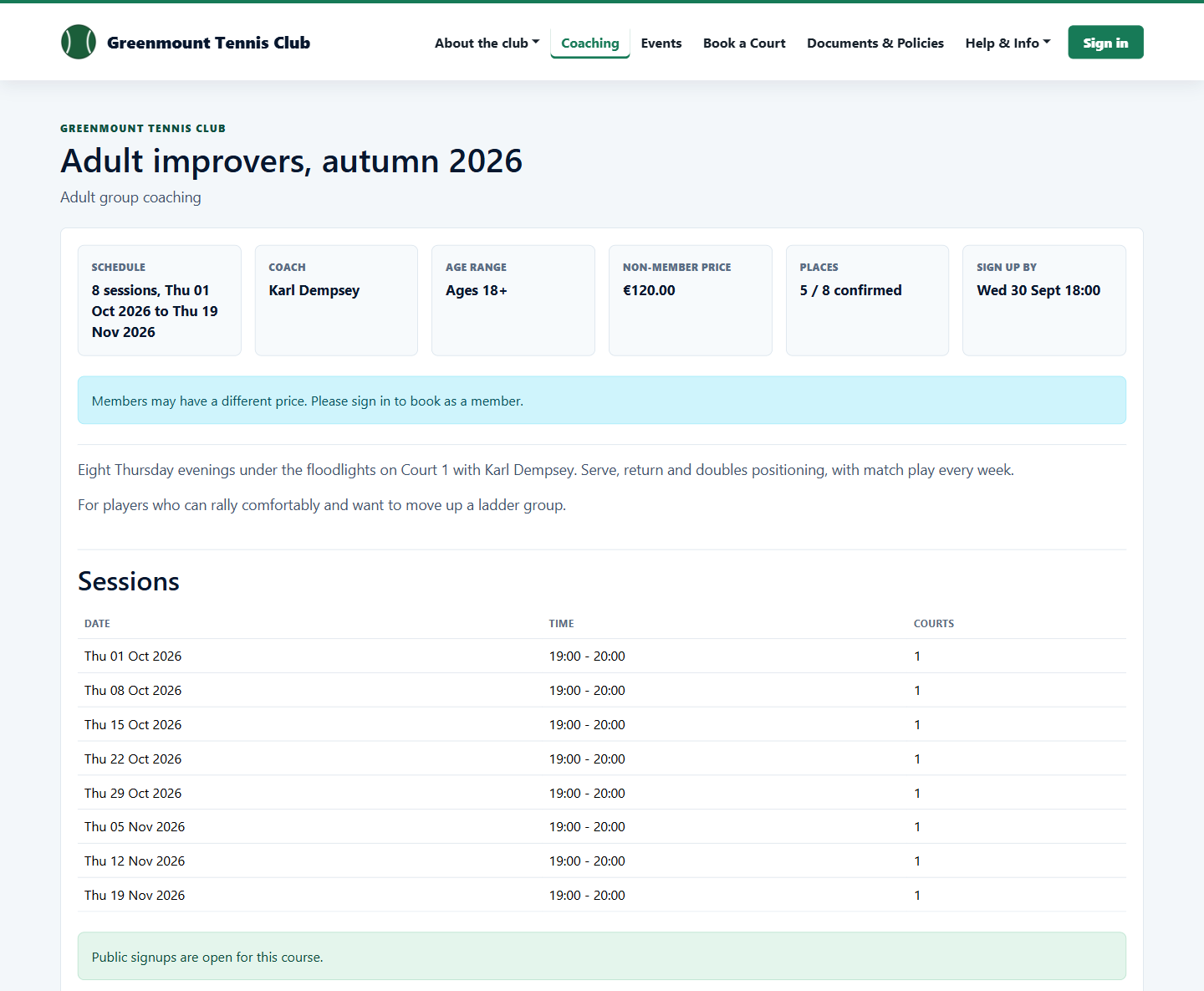
Each course lists its sessions, coach, age range, price and places left, with a signup form for visitors.

Public course page listing eight sessions
3

The club's courses

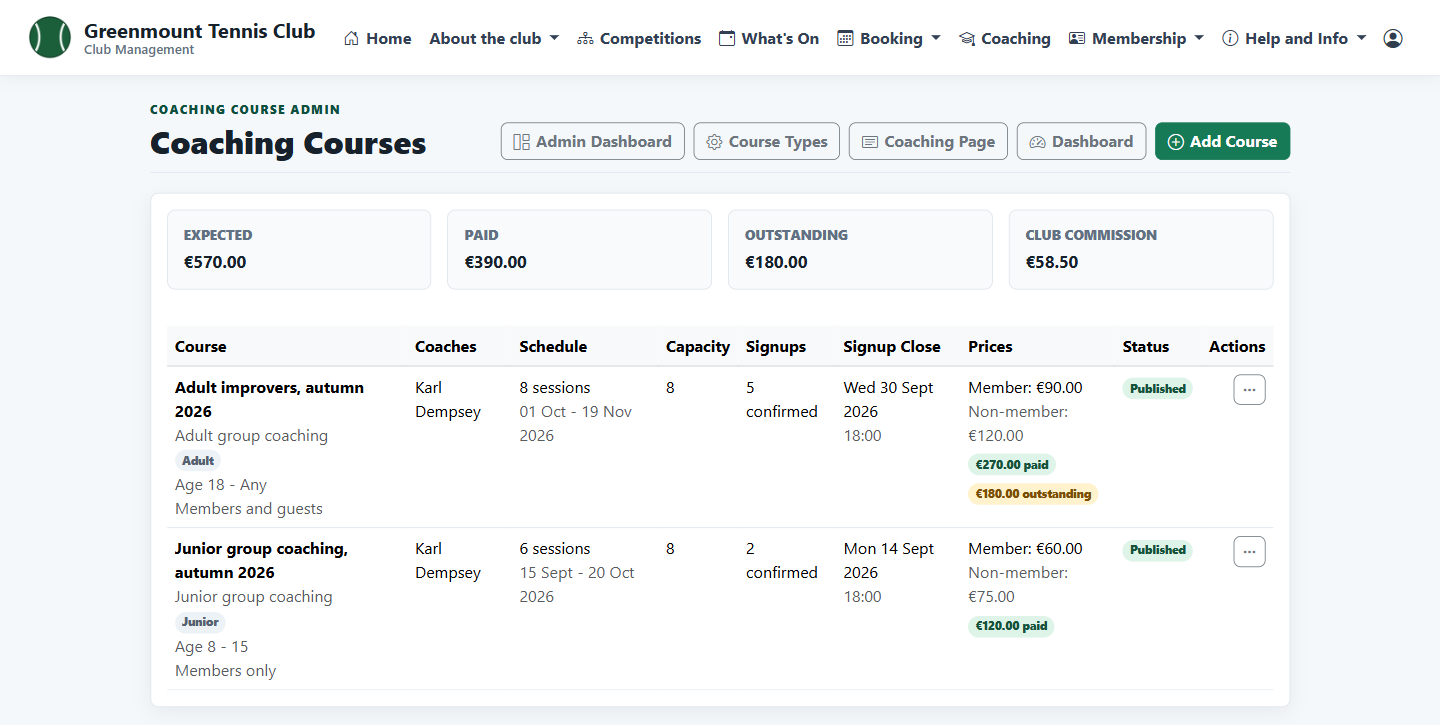
Admins see every course with its schedule, signups and prices, what has been paid and the club's commission.

Admin list of coaching courses with payment totals
4

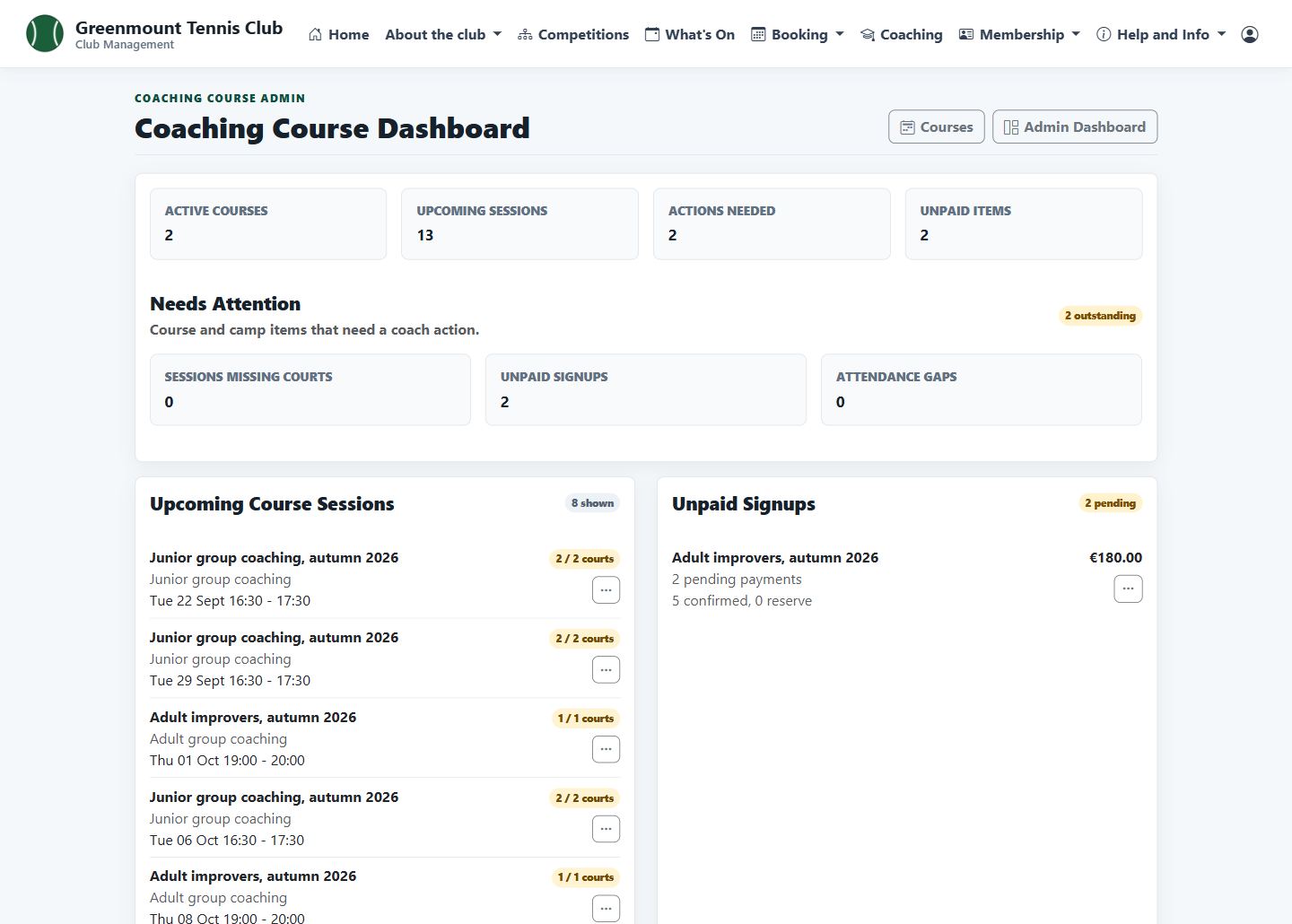
The coach's dashboard

Upcoming sessions across every course with the courts held for each, and anything that needs attention: sessions without courts, unpaid signups and registers not filled in.

Coaching dashboard with upcoming sessions and unpaid signups
5

Signups and payments

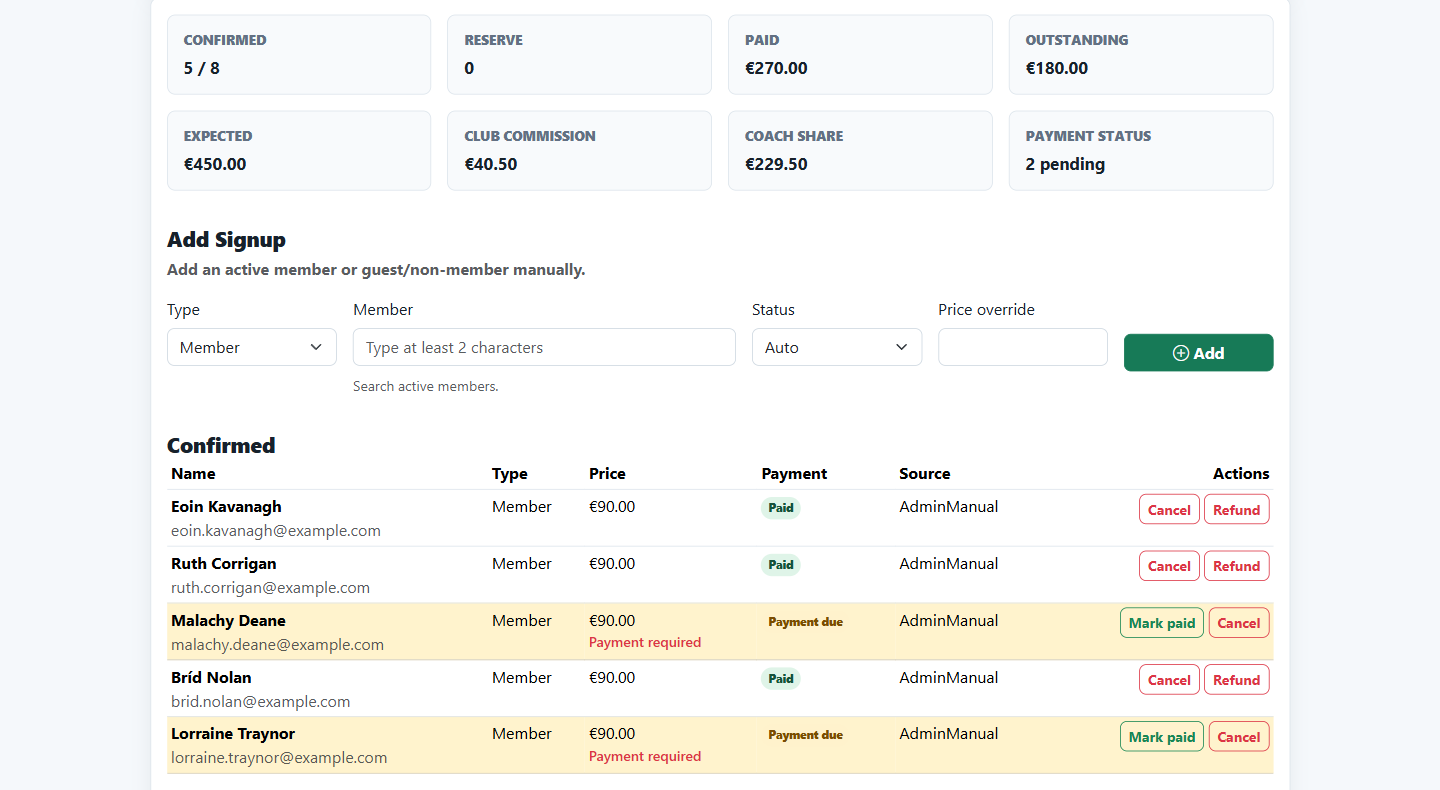
For each course: who is confirmed, who still owes money, the coach's share and the club's commission.

Course signups with paid and due payments
6

Take the register

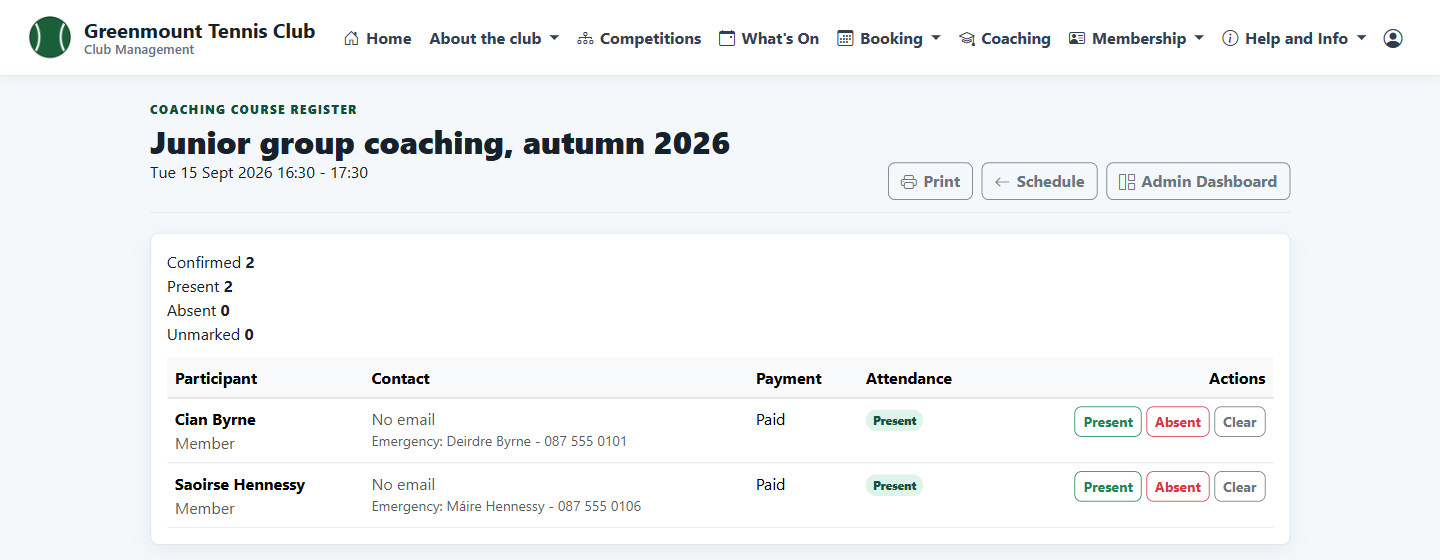
Mark each participant present or absent on the day, with a junior's emergency contact on the same screen.

Session register with two juniors marked present
7

Courses for members

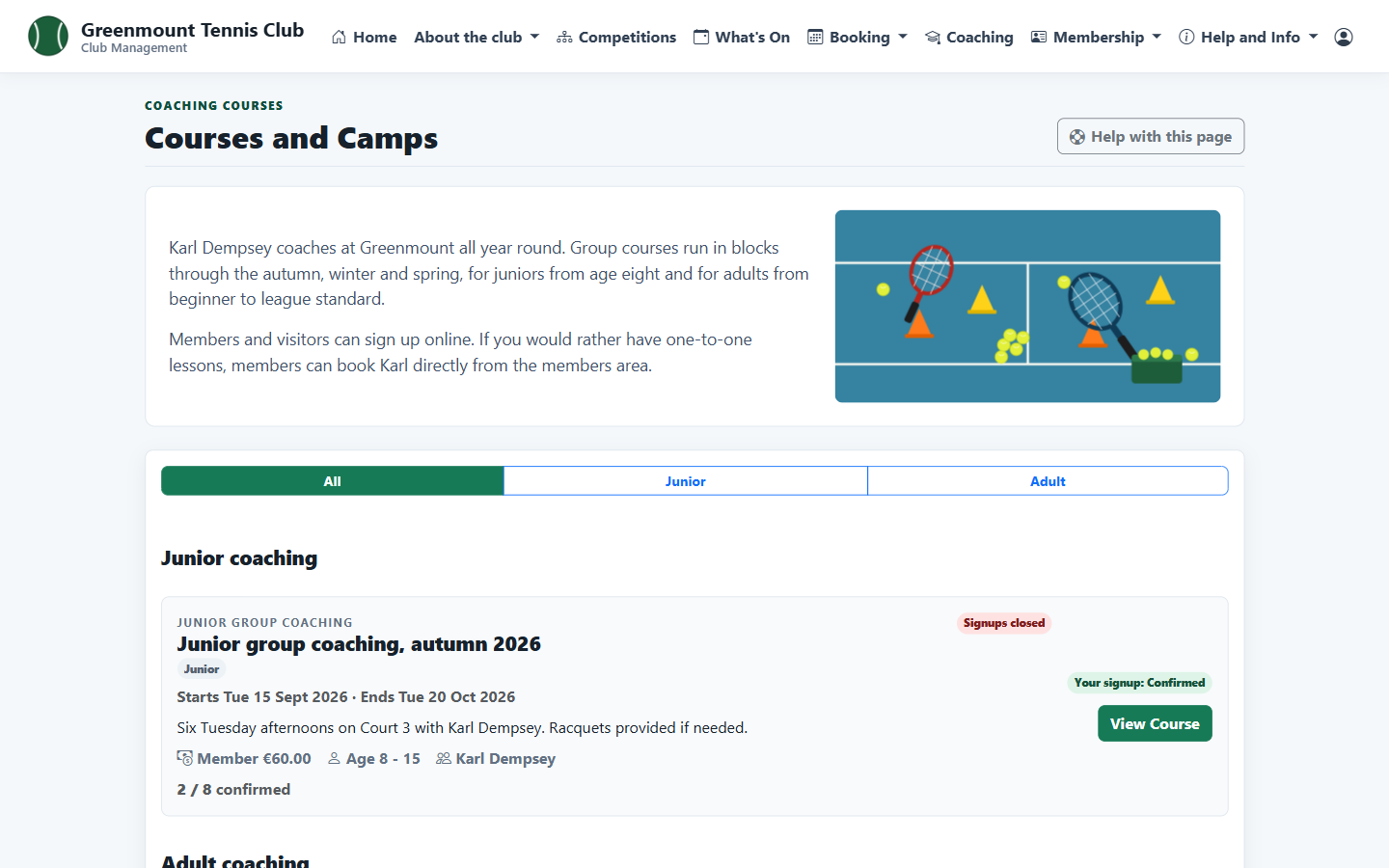
Signed-in members see the courses open to them and their own signups.

Members' list of coaching courses