Baseliners HQ Demo

Court booking for members and visitors

Members book courts a week ahead for themselves and their family. Visitors book the courts the club opens to them.

Court booking sheet for a Friday across four courts, booking as a family member

Members book courts online, up to a week ahead, under the rules the club sets for each court and time of day. A club that takes visitors can open a court to the public as well.

These screens are from Greenmount Tennis Club, a demonstration club with four courts. Its members are invented.

1

The day's courts at a glance

Members pick a day and see every court's free slots, their own bookings and everyone else's. A parent books for any member of the family by choosing them under Booking as.
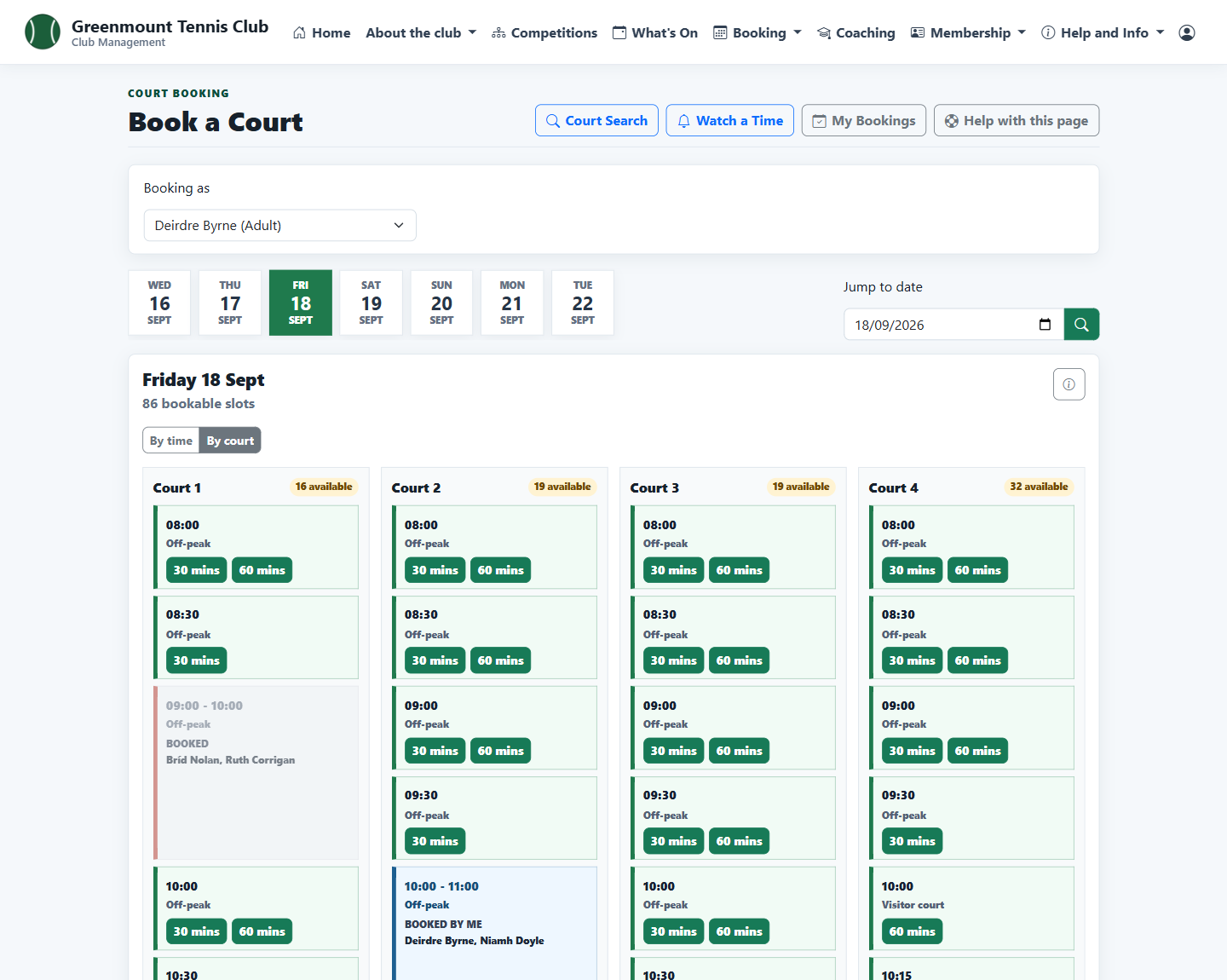
Court booking sheet by court for one day
2

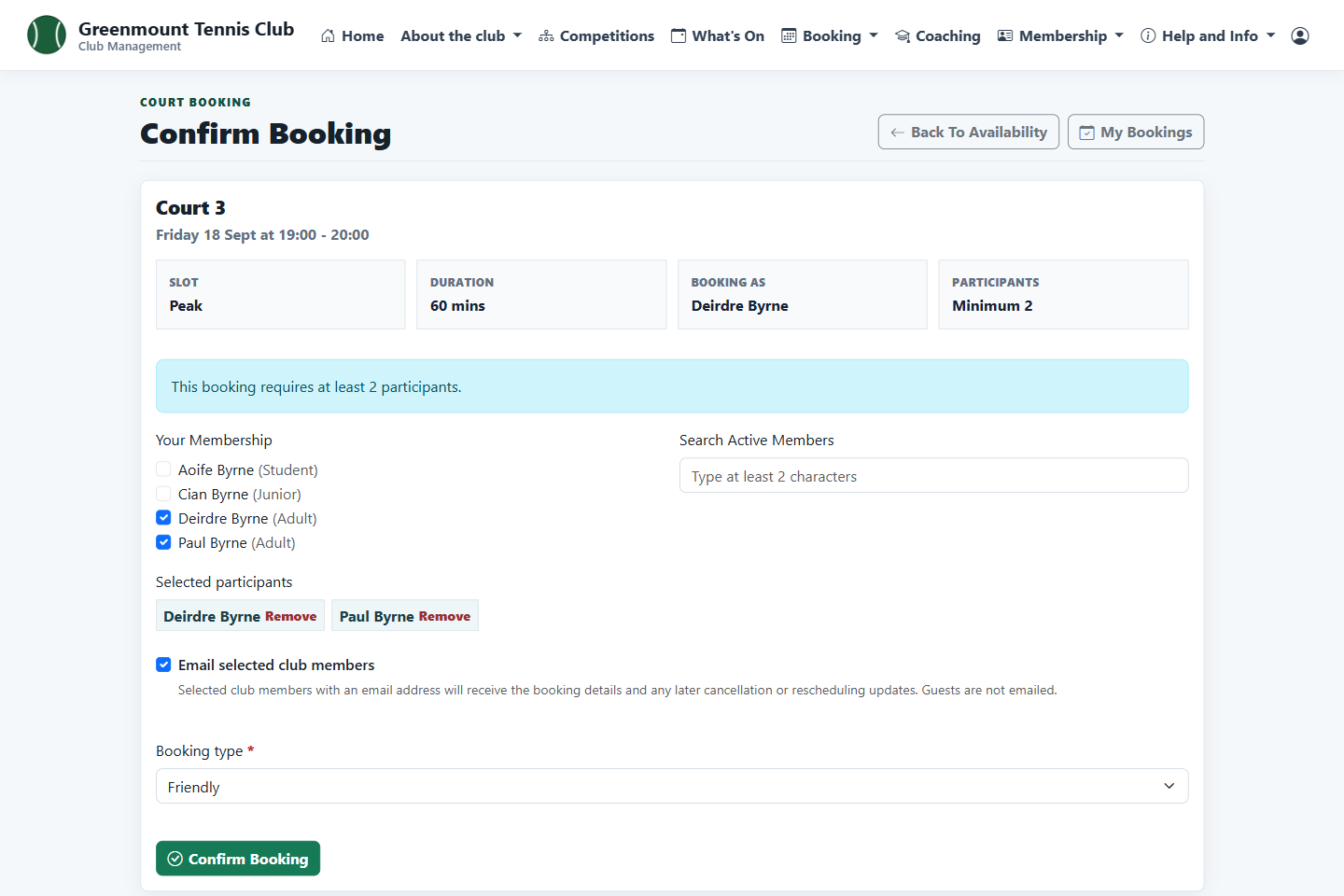
Confirm who is playing

Choose a slot, add the other players from the family or the club, say what kind of game it is and confirm. The players can be emailed the details.

Confirm booking screen with two family members selected
3

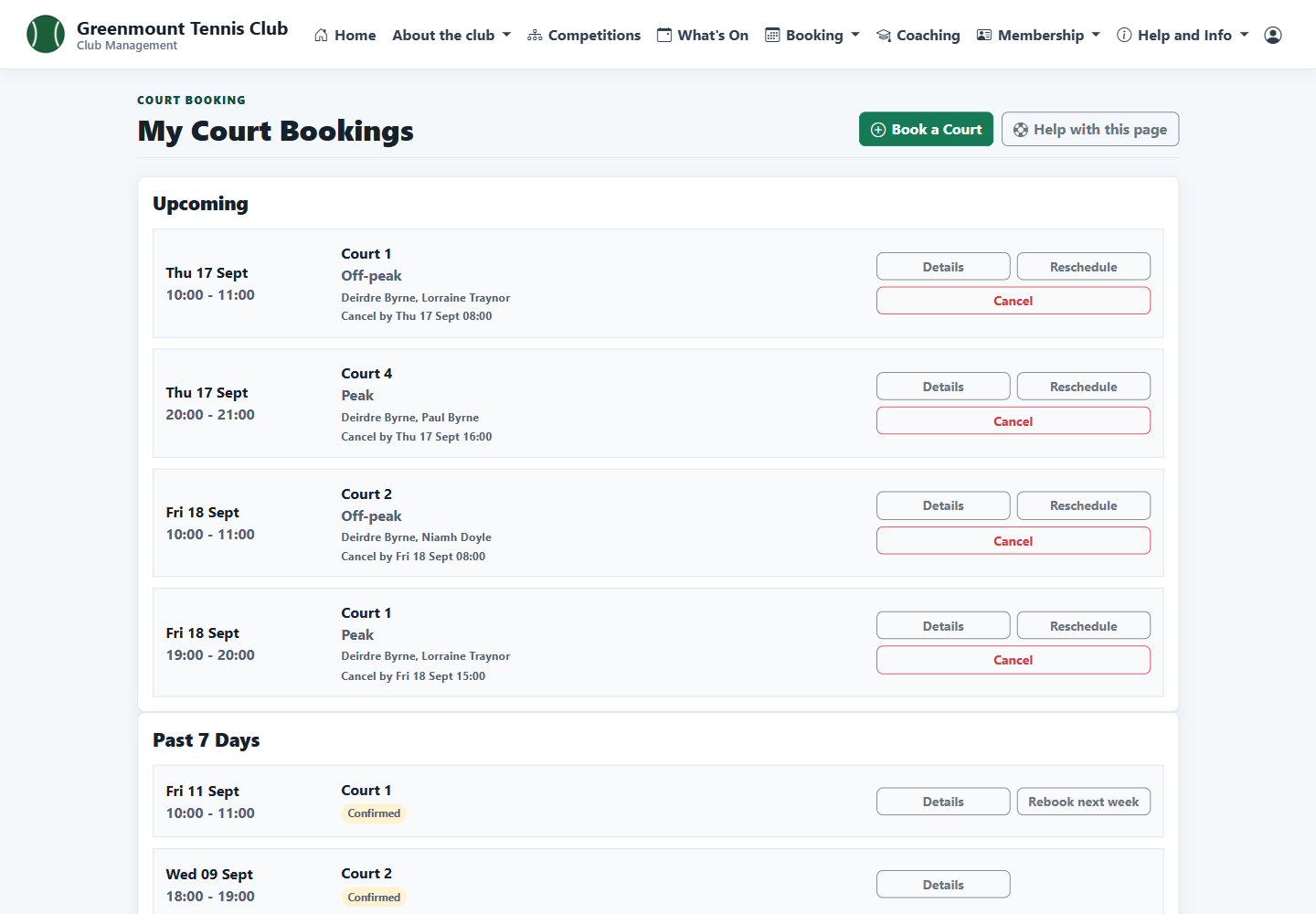
My bookings

Upcoming and recent bookings in one list, with the cancellation deadline on each. An upcoming booking can be rescheduled, and a past one rebooked for the same time next week.

List of a member's upcoming court bookings
4

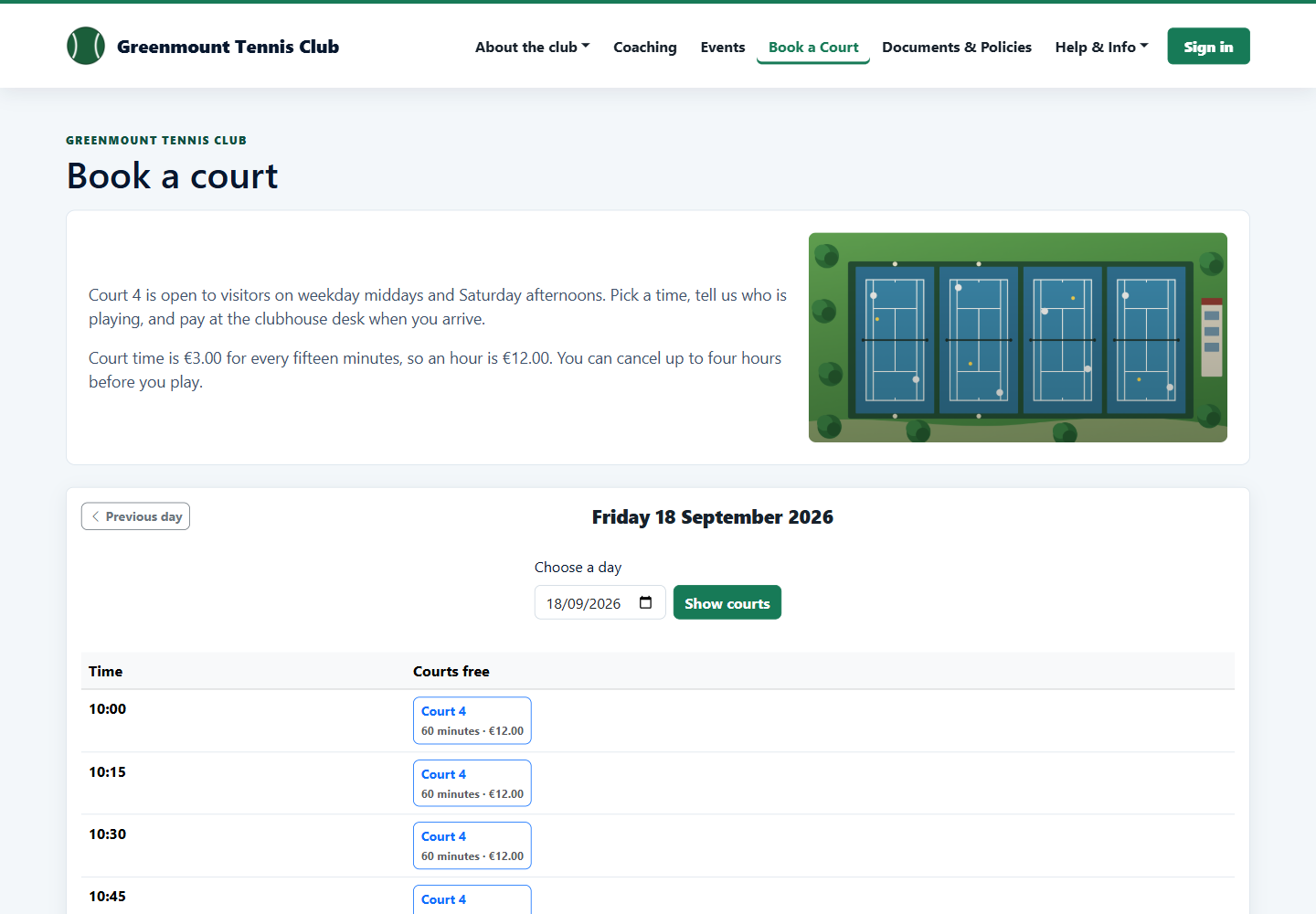
Visitors book online

A visitor sees the courts the club opens to the public, with the price, and books without an account. The club decides whether visitors pay online or at the desk.

Public court booking page showing Court 4 times and prices
5

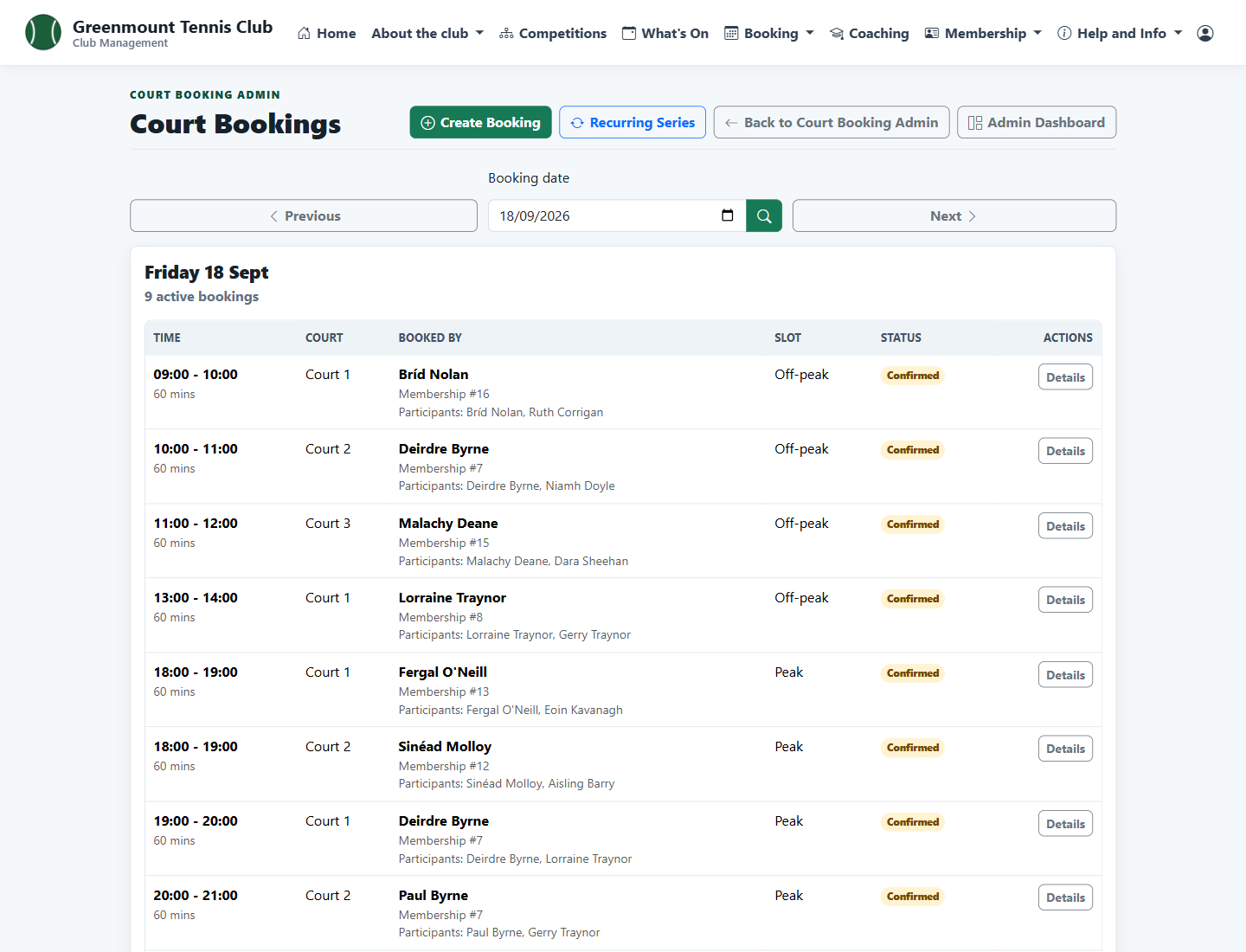
Every booking for the day

Admins see each booking for a day, who made it and who is playing. They can also book for a member or block courts for events and coaching.

Admin list of the day's court bookings
6

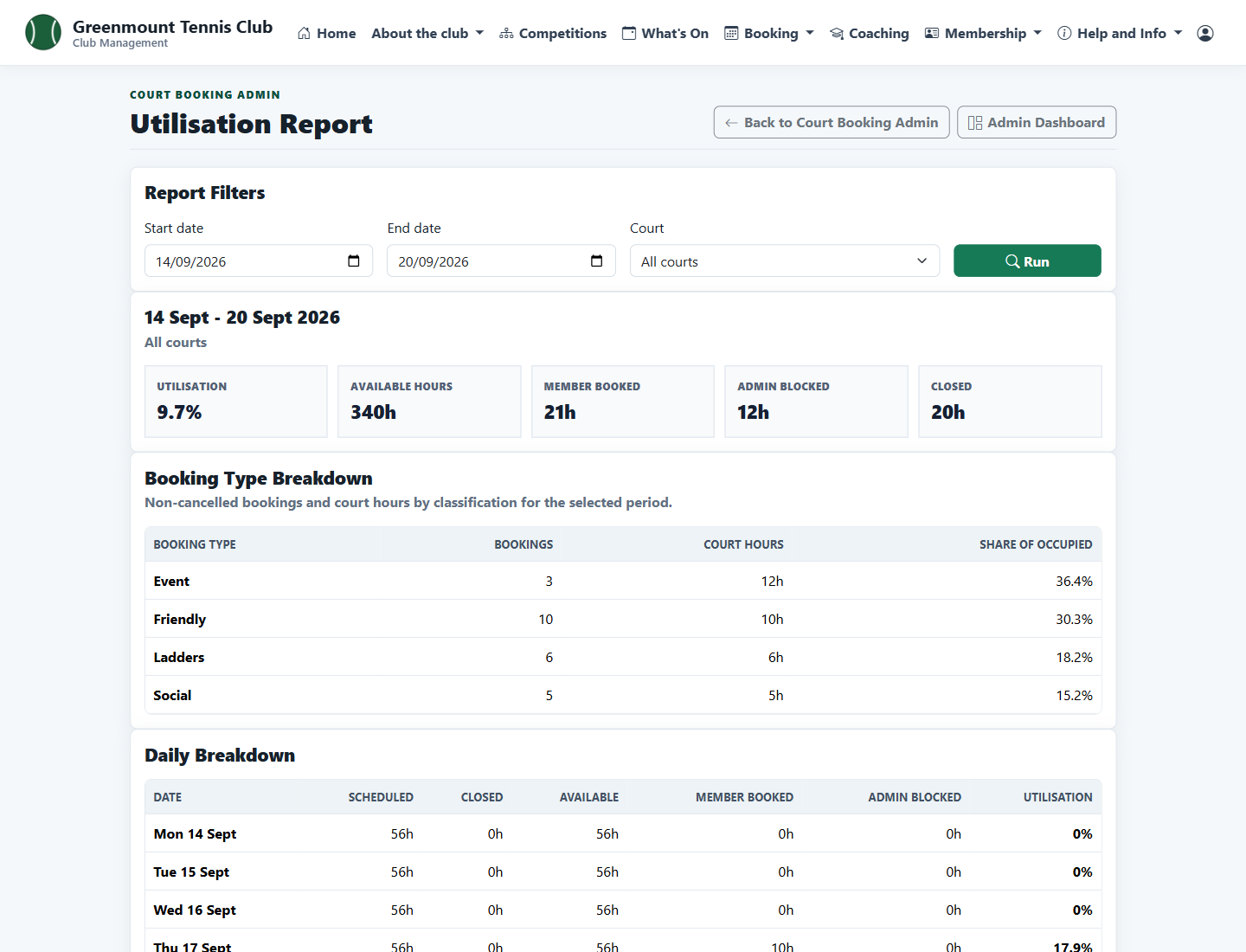
How the courts are used

The utilisation report shows available, booked, blocked and closed hours for any date range, by booking type and by day.

Court utilisation report for one week